Columns that change your scripts
Add a field to a type's C# script, rename one everywhere it is used, or remove one, from the table, staged like any other change and rolled back if Unity cannot compile the result.
Documentation pages
A column is a field of the type’s C# script. Adding, renaming or removing a column therefore edits your code, and Athena Asset Tables does it the way you would by hand, then asks Unity to compile it. Like every change, it waits until you apply it.
Add a field
Right-click a heading and choose Insert › Column left or Insert › Column right, or click New field in script… in the Columns section. Name the field and choose its Type: Integer (int), Decimal (float), Bool: False or Bool: True (its starting value), Text (string), or Reference to an asset, with the asset type it Points at.
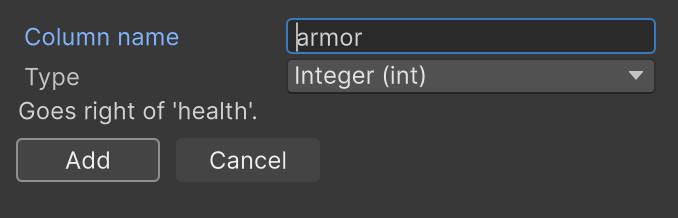
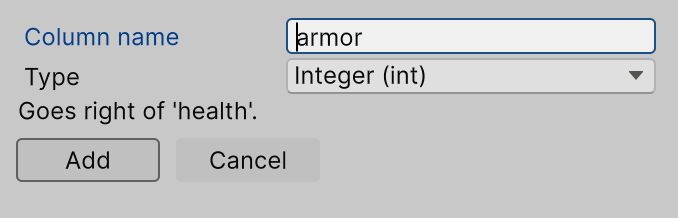
The new column appears where it will be, marked as new and filled with its default value. Apply writes one
line into the script, in the class’s own style (public or [SerializeField] private, with its
indentation), beside the column you inserted it next to. Unity recompiles, and the column fills in.
Athena Asset Tables refuses a name that is not a valid C# field name, is a C# keyword, or is already a member of the
class, and a script outside Assets.
Rename a field
Right-click a heading and choose Rename column, then type the new name over the heading and press Enter. The heading shows the new name with the old one beside it until you apply.
Apply renames the field and every use of it in its script, and adds [FormerlySerializedAs("oldName")] so
your assets keep the values they hold. A field other scripts use is renamed there too, where Athena Asset Tables can be
sure a use is this field: enemy.health in a script that works with your type, nameof(health), object
initializers, and uses inside classes that derive from it. Before it writes, a confirmation lists every
script it will change and every place it will not, such as the field’s name in a string
(FindProperty("health")), so you can update those yourself.
Athena Asset Tables refuses a rename it cannot make safely, and names the line: a new name already used in the script, a local variable with the old name, or an inherited field.
Remove a field
Right-click a heading and choose Delete column. The column turns red until you apply, and the same menu item, now Keep column, takes it back.
Apply removes the field, its attributes, and the comment lines right above it. Athena Asset Tables refuses to remove a field the script or another script still uses, naming the lines, so the removal never breaks your build. The removed values stay in the asset files until each asset is saved again.
If the code does not compile
Every script Athena Asset Tables writes is watched while Unity compiles. If any of them fails, every written script is
put back exactly as it was, the table returns to how it was before Apply, and the window names the file and
line. A copy of each script as it was before is kept in Library/StackBlender/ScriptBackups.
Several column changes applied together are written together: removals, then renames, then new fields, with one recompile.