Exporting and copying
Export the table to CSV, TSV or JSON that imports back exactly, copy rows into a spreadsheet, and keep exports safe to open in Excel or Google Sheets.
Documentation pages
An export writes what the table shows to a file: the rows you selected, or every row the filter shows when nothing is selected, and the columns on screen, in their order. Hide or move columns first, and the file follows.
Export a file
Open Export on the toolbar and choose Export CSV…, Export TSV… or Export JSON…, then pick where the file goes.
Every export starts with an Asset column holding each asset’s name, for a person reading the file, and
ends with a GUID column, for Athena Asset Tables. Read-only columns are left out, and the message under the buttons
names them.
An exported file imports back exactly: every value is written so it reads back as the same value, and the
GUID column matches each row to the asset it came from, even after a rename. Export, change the numbers in
a spreadsheet, and import the file to apply them. Use as import puts the last export straight into an
import with the mapping that reads it, to try a round trip without leaving Unity.
Copy rows into a spreadsheet
Export › Copy all assets copies the rows as tab-separated text, which pastes into Excel or Google Sheets as cells. With rows selected it copies only those, and says how many: Export › Copy 3 assets.
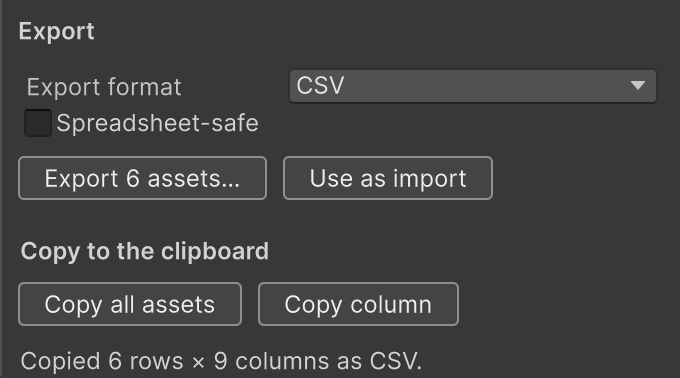
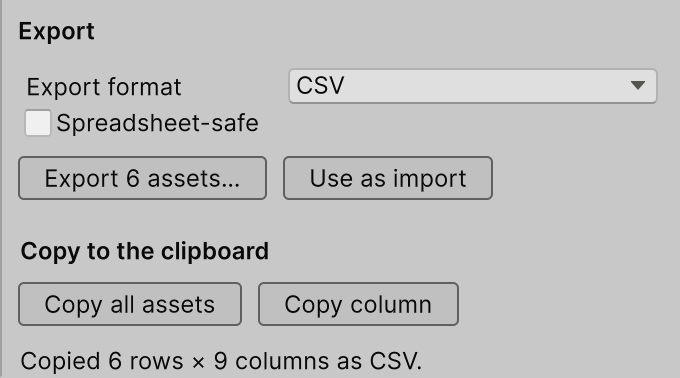
More export options… opens the export panel, which can also copy only the selected rows (Copy selected rows), one column (Copy column), or one cell (Copy cell).
To paste rows from a spreadsheet back into the table, see Copy and paste.
Spreadsheet-safe exports
A text value that starts with =, +, - or @ is read by a spreadsheet as a formula, so a name like
=Boss or -Elite changes when the file is opened. Tick Spreadsheet-safe and Athena Asset Tables puts a ' before
such values, which the spreadsheet shows as plain text. Import a safe export with @formulas unescape in
its mapping to drop the ' again; see the mapping as text.
Formats
| Format | What it is |
|---|---|
| CSV | Commas between values, quotes around values that need them |
| CSV (semicolon) | Semicolons between values, as Excel writes CSV in many European locales |
| TSV | Tabs between values, what spreadsheets put on the clipboard |
| JSON | An array with one object per asset and one key per column; numbers and true/false as JSON values |
Choose the CSV with semicolons under Export format in the export panel.