Quick start
Install OpenAPI Guard for VS Code and see contract drift in a sample project in a few minutes.
Documentation pages
1. Install
Install OpenAPI Guard from the Visual Studio Marketplace (publisher StackBlender),
or run code --install-extension StackBlender.openapi-guard. VS Code 1.96 or later.
2. Open a project
Open a folder that contains an OpenAPI 3.x document (YAML or JSON, any file name) and Spring Boot or NestJS controllers. Analysis starts by itself; there is nothing to configure and nothing to build, because OpenAPI Guard reads the sources.
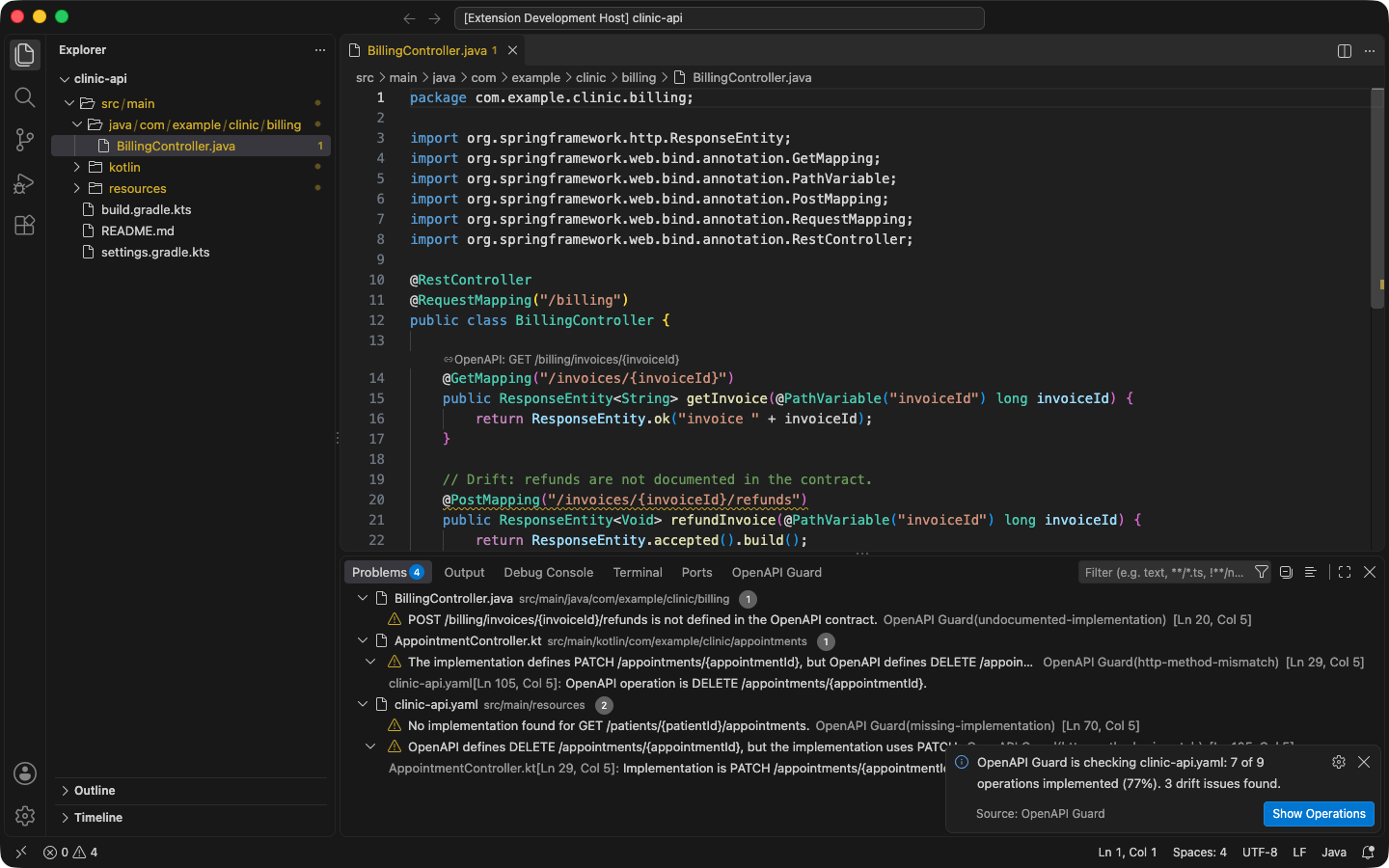
The screenshots on these pages show a small Clinic API with three deliberate problems:
| Problem | Where |
|---|---|
| Missing implementation | GET /patients/{patientId}/appointments has no controller. |
| HTTP method mismatch | The contract says DELETE /appointments/{appointmentId}; the code maps PATCH. |
| Undocumented endpoint | POST /billing/invoices/{invoiceId}/refunds is not in the contract. |
3. Read the summary
After the first analysis, a notification summarizes coverage, for example “OpenAPI Guard is checking clinic-api.yaml: 7 of 9 operations implemented (77%). 3 drift issues found.” Choose Show Operations to open the Operations view.
4. Fix an issue
Put the cursor on a warning and press Ctrl+. (Cmd+. on macOS). For the missing operation in the sample, Implement GET in PatientApi and PatientController adds the mapped method to the API interface and an override to the controller. See Diagnostics and quick fixes.
Next steps
- If the wrong contracts are analyzed, see Specifications.
- To accept an intentional difference, see Suppressing issues.
- For every setting, see Settings.