IntelliJ IDEA, VS Code, CLI
OpenAPI Guard
FreeFinds drift between your OpenAPI contract and your controllers as you type, shows contract coverage for the whole project, and fixes what it finds.
Or run it now: npx --yes @stackblender/openapi-guard .
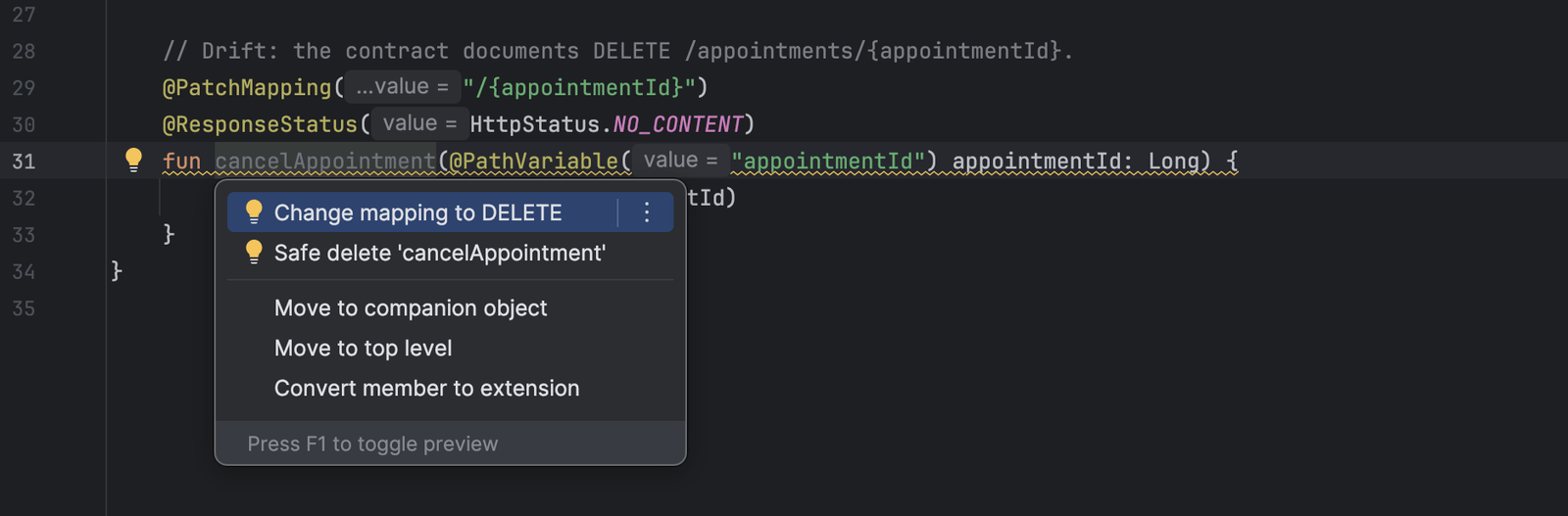
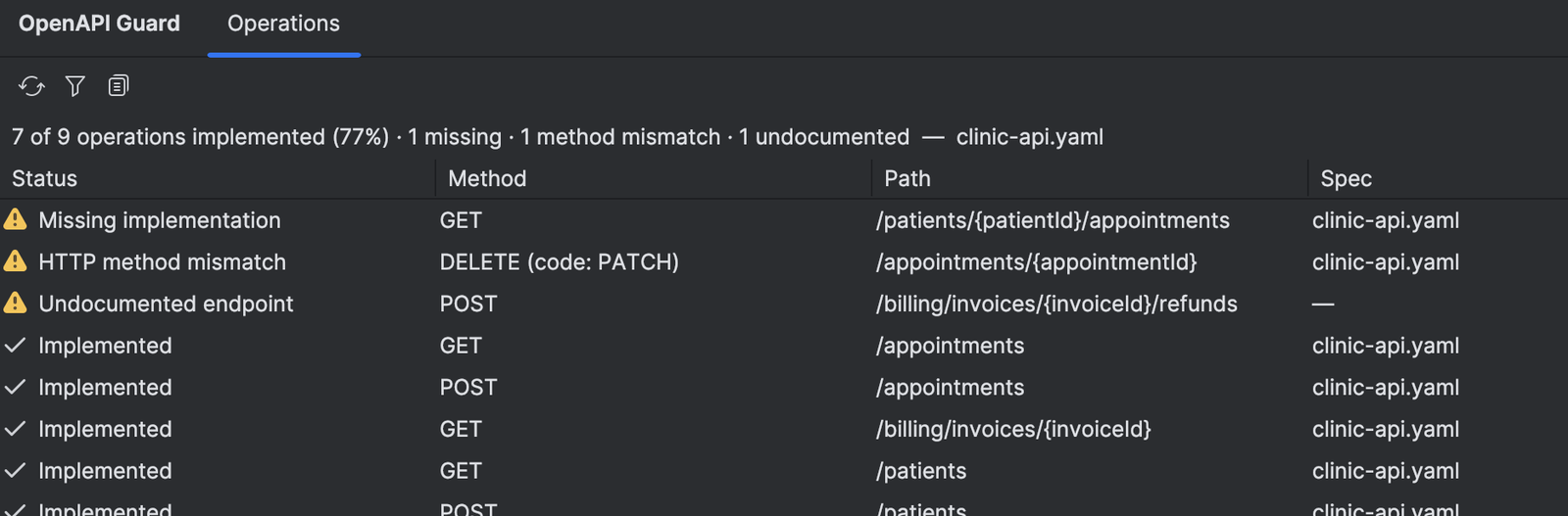
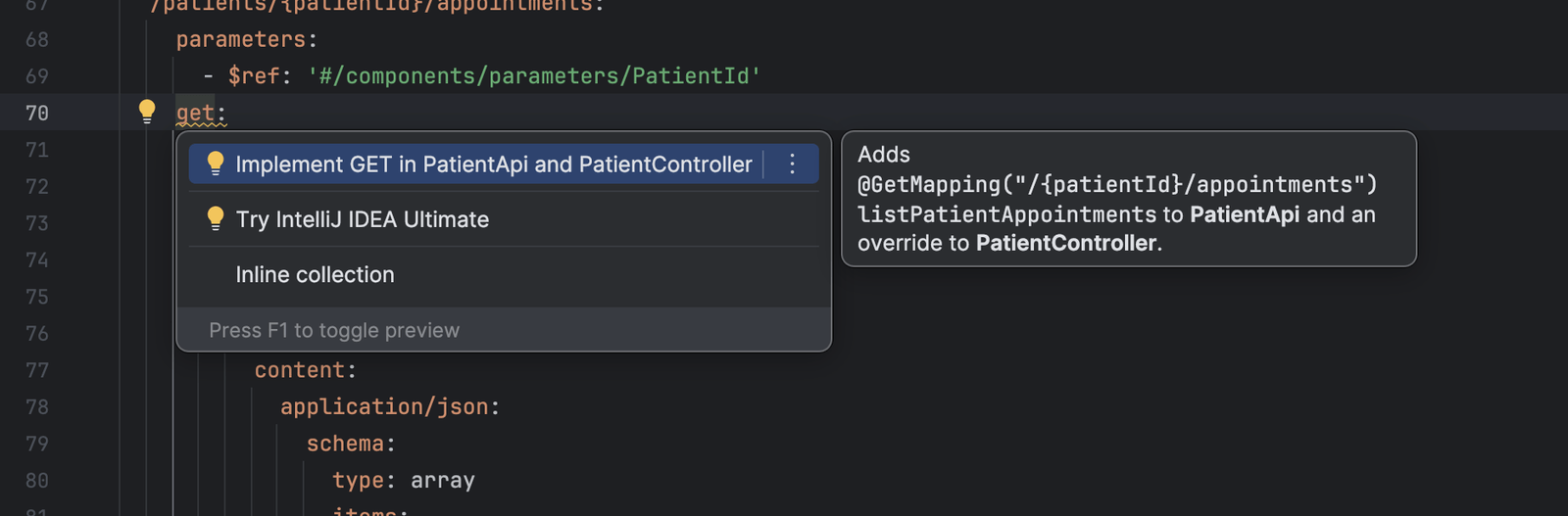
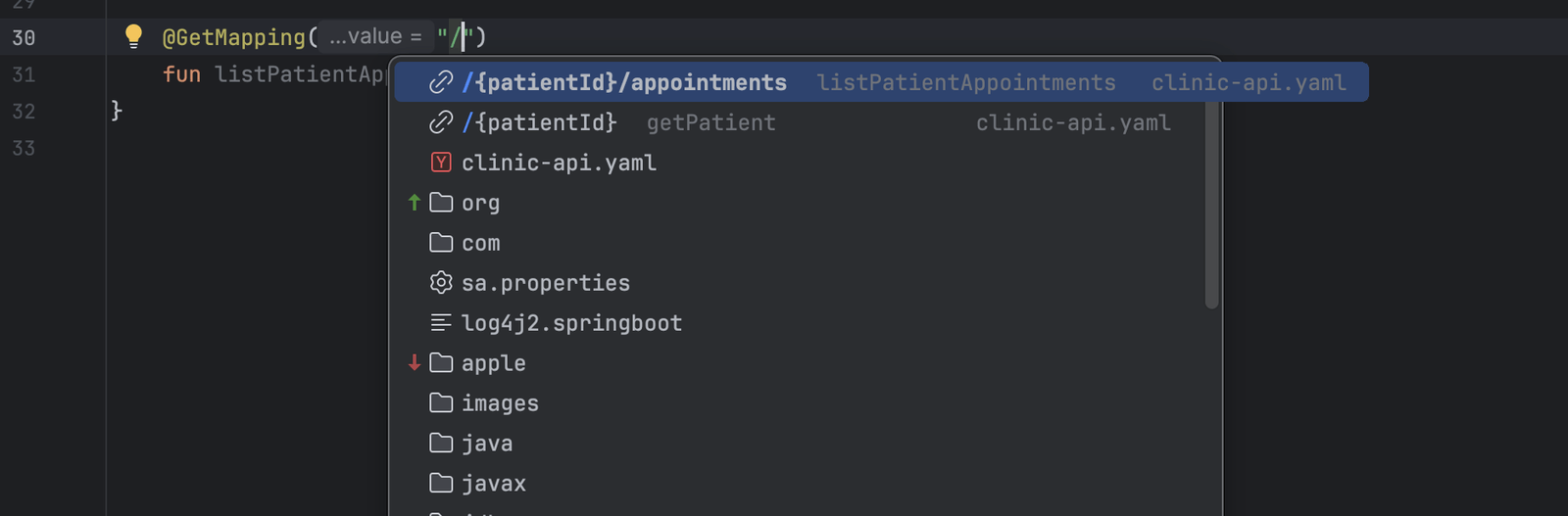
A method mismatch, and the quick fix that resolves it.
OpenAPI Guard compares a local OpenAPI 3.x document with the endpoints your code actually implements and reports the differences: operations nobody implemented, endpoints the contract doesn't document, and HTTP methods that disagree. Findings appear in the editor as you type, with navigation both ways between an operation and its implementation.
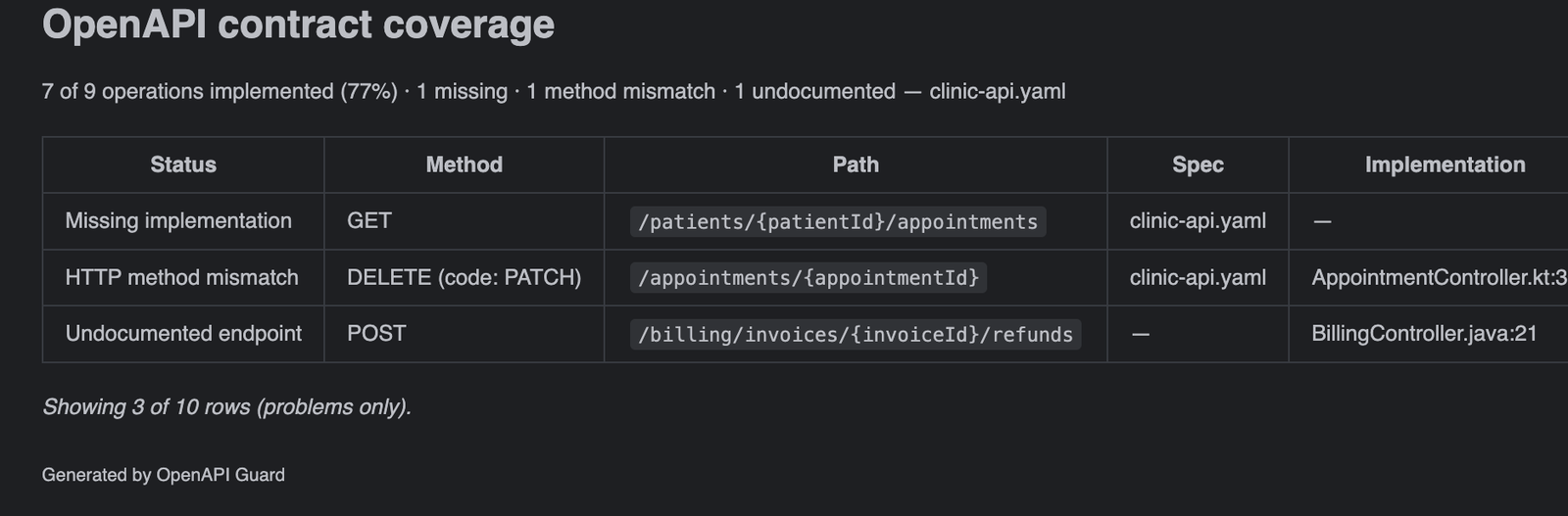
Quick fixes put the missing operation in the spec or the missing handler in the controller. An Operations tool window shows how much of the contract is implemented and copies the table into a pull request. The same checks run in CI through the CLI, and coding assistants get them through the MCP server.
What it does
Three kinds of drift
Operations nobody implemented, endpoints the contract doesn't document, and HTTP methods that disagree. Reported as you type, on both the spec and the code, with navigation between them.
Fix it where you are
Quick fixes add a missing operation to the spec, implement it in the best-matching controller, or align the HTTP method on either side.
Coverage for the whole contract
The Operations tool window shows every operation's status, searchable, with a problems-only filter and Copy as Markdown for a pull request.
Completion from the spec
Mapping annotations offer paths from the contract, with operations that still need an implementation listed first.
Your language, your editor
Spring Boot in Java and Kotlin. NestJS in TypeScript. The IntelliJ IDEA plugin and the VS Code extension do the same work in the languages each editor is built for.
In CI and for agents
The CLI exits 0 when clean, 1 on drift, 2 on failure, with versioned JSON output. The MCP server gives the same analysis to coding assistants.
Privacy
Analysis is local. OpenAPI Guard does not upload source code, OpenAPI documents, diagnostics, or repository metadata.
See the site privacy page for how this website itself handles data.