Unity Editor
Data Workbench
Paid · Coming soonA spreadsheet for your ScriptableObjects that stages every change: batch recipes, previewed imports, one Undo per batch, and recovery if Unity dies mid-write.
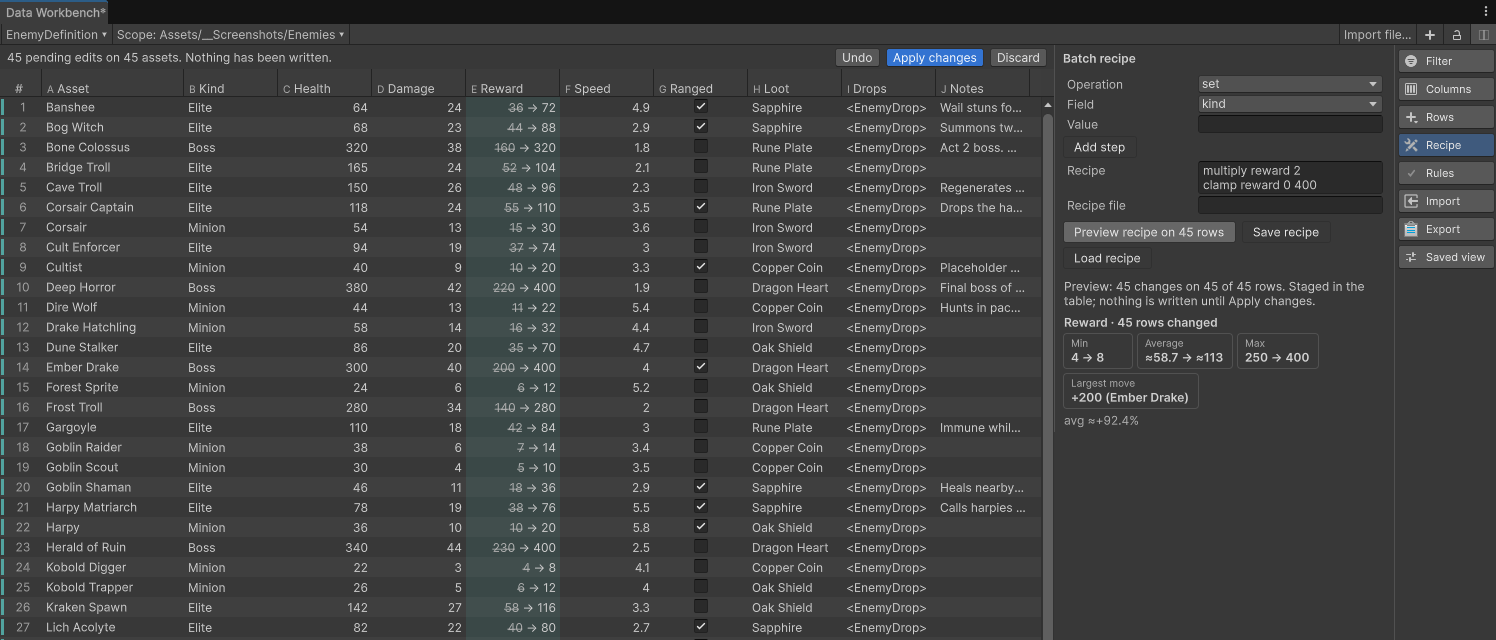
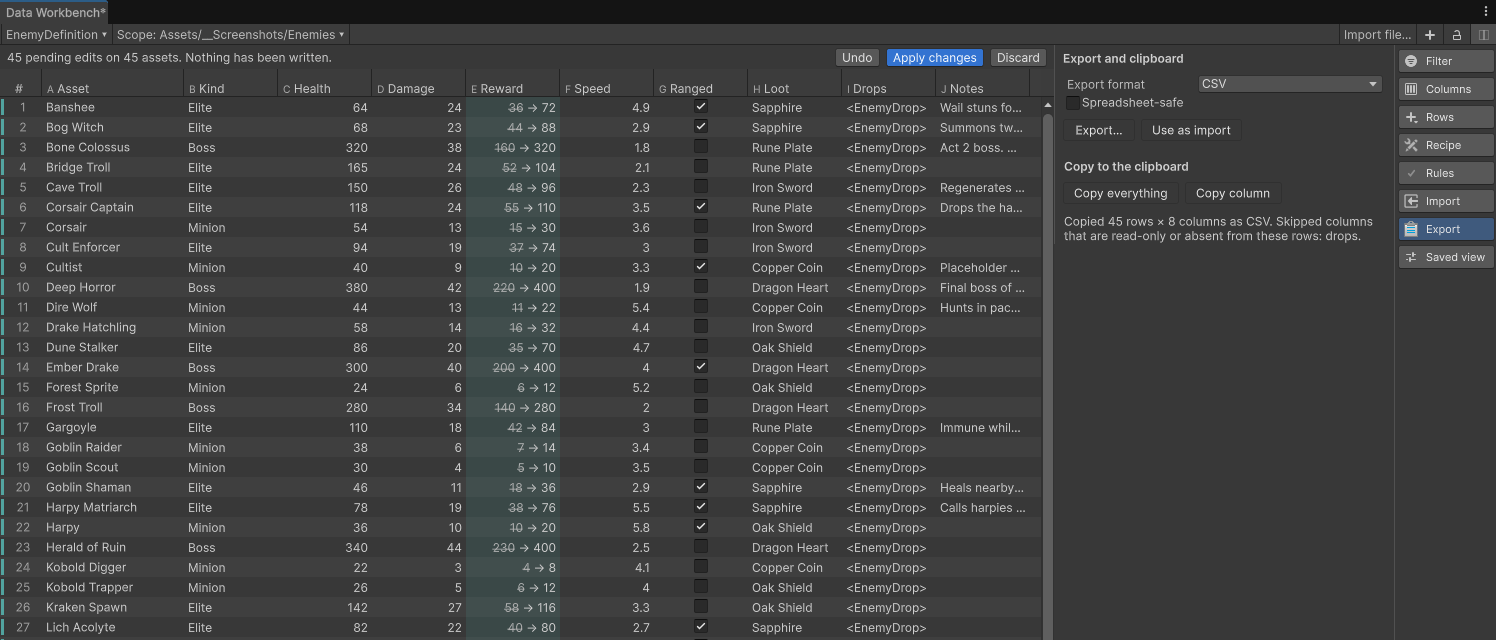
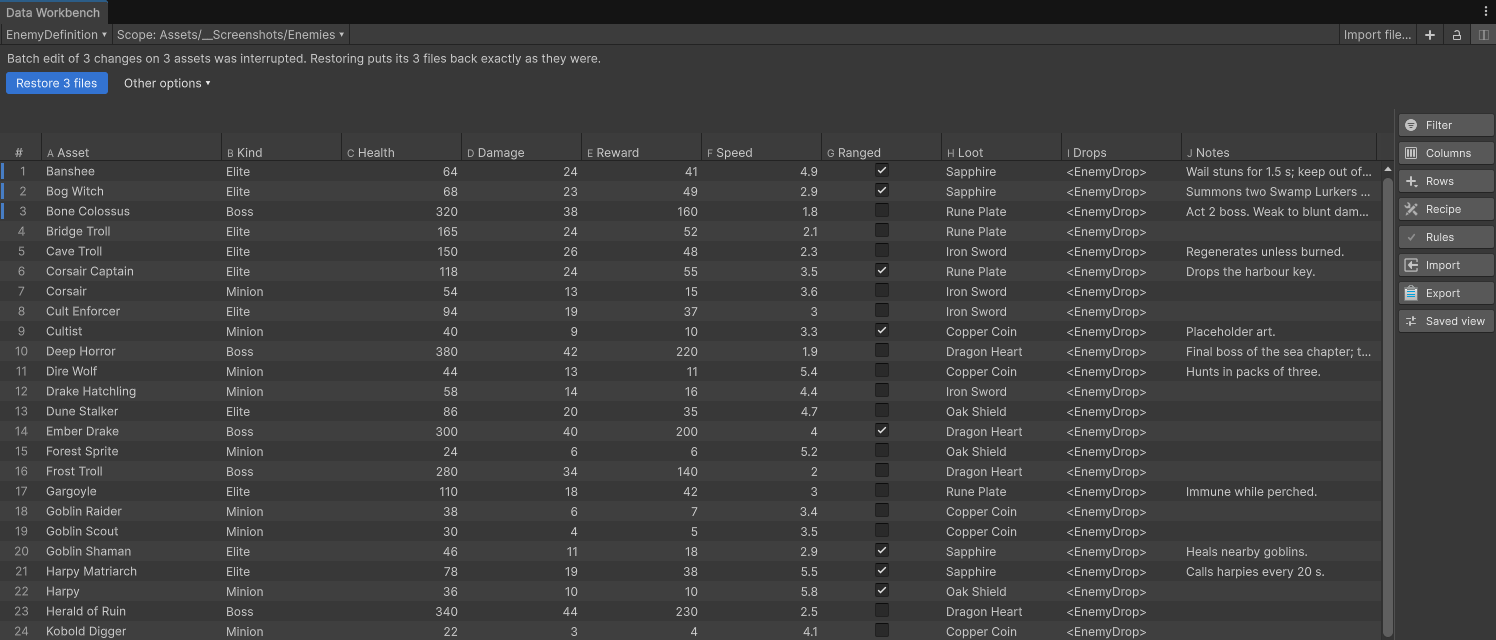
A batch recipe over 45 rows, staged in the table with a summary. Nothing is written until Apply changes.
Balancing a game means touching hundreds of ScriptableObjects, and the Inspector shows you one at a time. Data Workbench puts every asset of a type in one table and lets you work it like a spreadsheet: multi-column sort, AND/OR filters, keyboard editing, copy and paste, fill-down, saved views you can commit to git. Select forty rows and edit one cell, and all forty change.
Then it does what a table editor can't. Recipes do the math: add reward 5, multiply health 1.5, clamp speed 2 5.5, round, or copy one field into another, over exactly the rows you choose, and save the recipe for next time. Nothing you do writes a file. Every edit, paste, recipe, and import lands as pending cells showing before and after, with a summary bar, until you press Apply changes. A stale check refuses to apply over an asset that changed underneath you.
Apply is one Undo, however many rows it touched. A timeline lists every apply and reverts any of them, snapshots compare the table with an earlier state, and a journal restores every file byte for byte if Unity stops mid-write. Import CSV, TSV, flat JSON, or a public Google Sheet through an explicit mapping in any column order; export round-trips exactly. Validation rules flag bad data in the table and gate the build. It also covers prefab components, materials, import settings, sub-assets, lists, and [SerializeReference] fields, with no page caps and no runtime dependency.
What it does
Recipes: batch math without code
Add, multiply, clamp, round, set, or copy one field into another, over selected rows or every filtered row. Save recipes, reload them, and run them headless from the command line for a JSON report.
Staged, never silently written
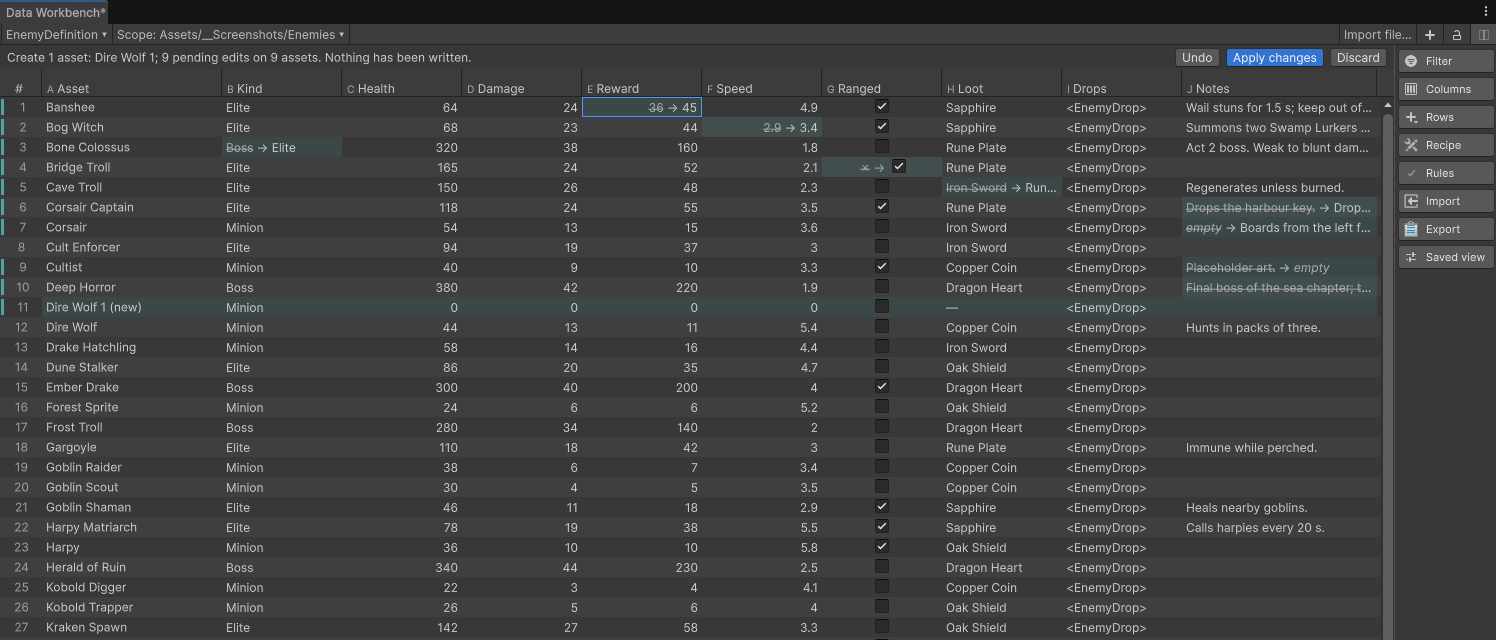
Edits, pastes, recipes, and imports all become pending cells with the old value struck through and the new one beside it, plus a summary of the batch. Apply changes writes; Discard drops. A stale check stops an apply over an asset that changed since.
Edit forty rows with one keystroke
Select rows and edit one cell to set them all. Sort by several columns, filter with AND/OR conditions, hide, move, and resize columns, and keep it all in a saved view that lives in git.
One Undo. A timeline. Snapshots.
A recipe over ten thousand rows is a single Undo. The timeline lists every apply and can revert any of them, and named snapshots compare the table with an earlier state and restore it through the same preview.
Survives a crash
A recovery journal keeps the original bytes before the first write. If Unity stops mid-apply, the next session puts every file back exactly, and never overwrites a file that changed since without asking.
Spreadsheets in and out
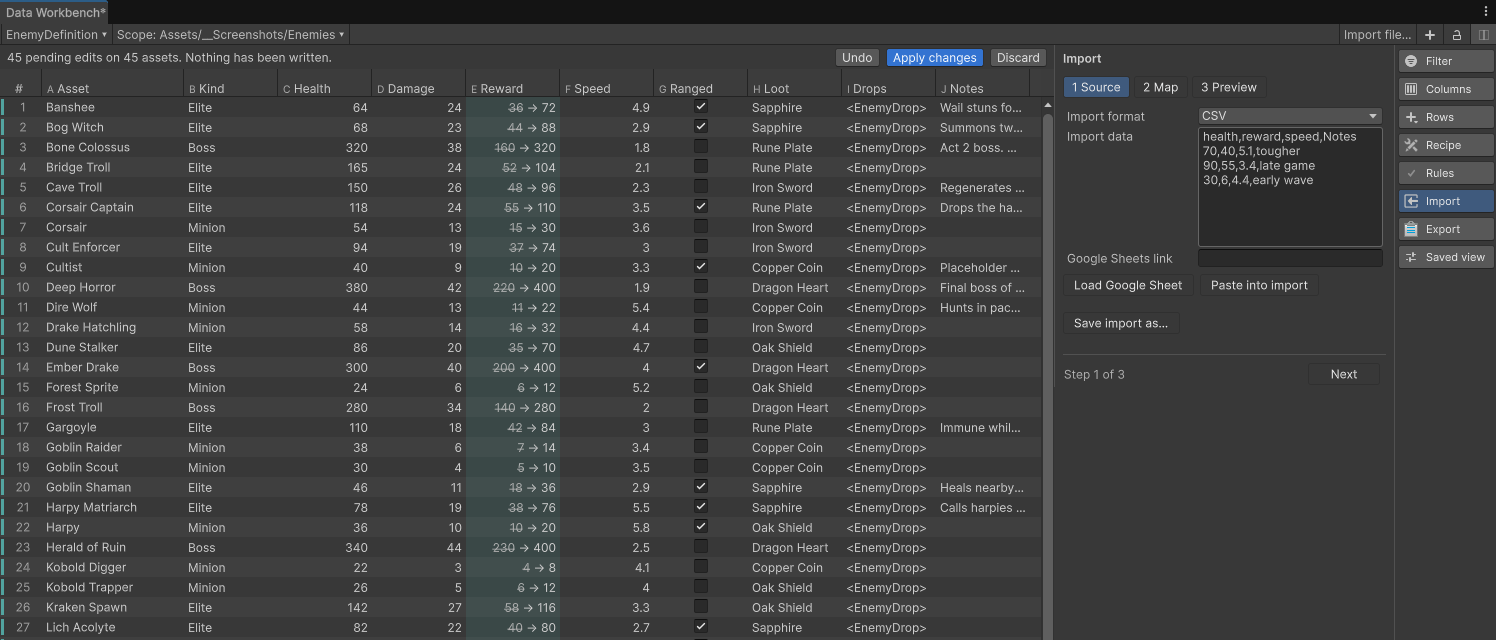
CSV, TSV, and flat JSON through an explicit column mapping in any order, with columns you can ignore and GUID or key identity. Load a public Google Sheet by link, no sign-in. Export round-trips exactly, and unmatched rows can create assets as a previewed step.
Rules that gate the build
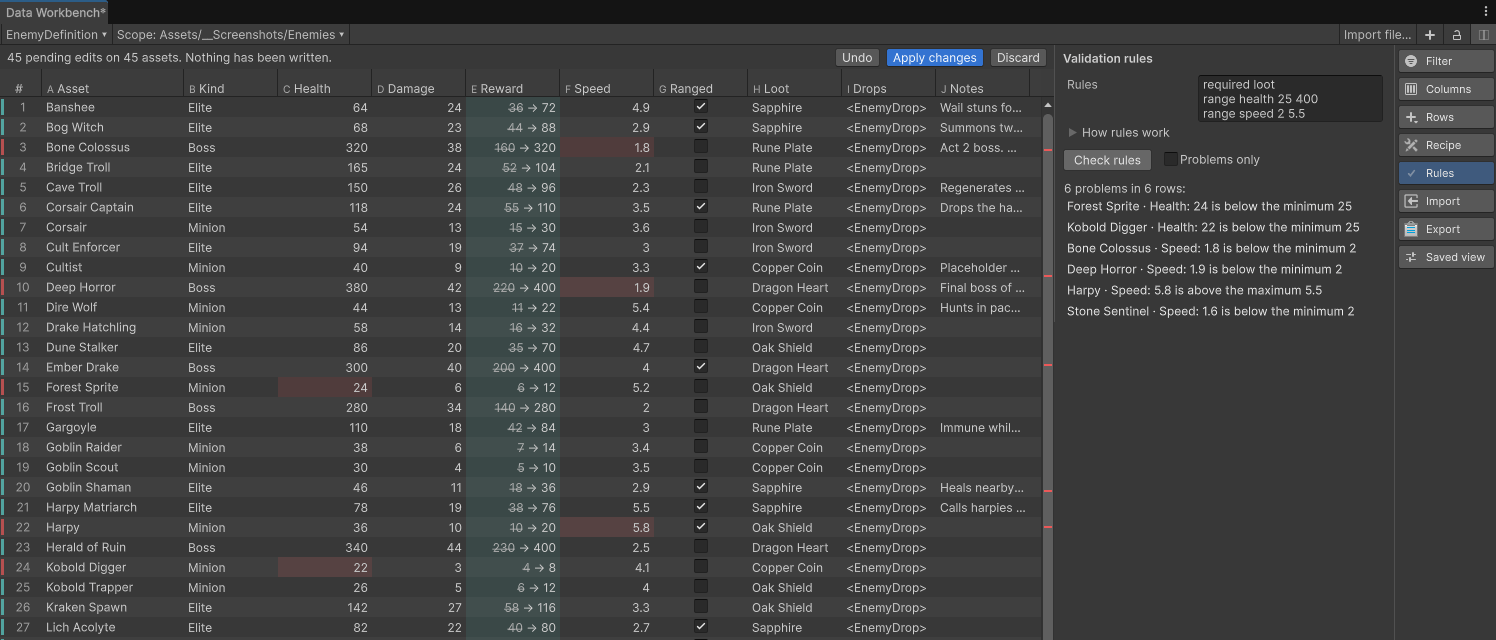
Required, range, unique, and pattern rules in the view or on the field with an attribute; [Range] and [Min] count too. The data check runs before every build and from the command line in CI, and can warn or stop the build.
No page caps
A virtualized table, tested at 10,000 and 20,000 assets. On the reference machine, 10,000 assets load from disk in under 1.5 seconds and filter in about 20 ms. Long applies show progress and cancel with every file restored.
Privacy
Data Workbench runs entirely inside the Unity editor. It collects nothing, sends nothing, and needs no account or network access.
See the site privacy page for how this website itself handles data.