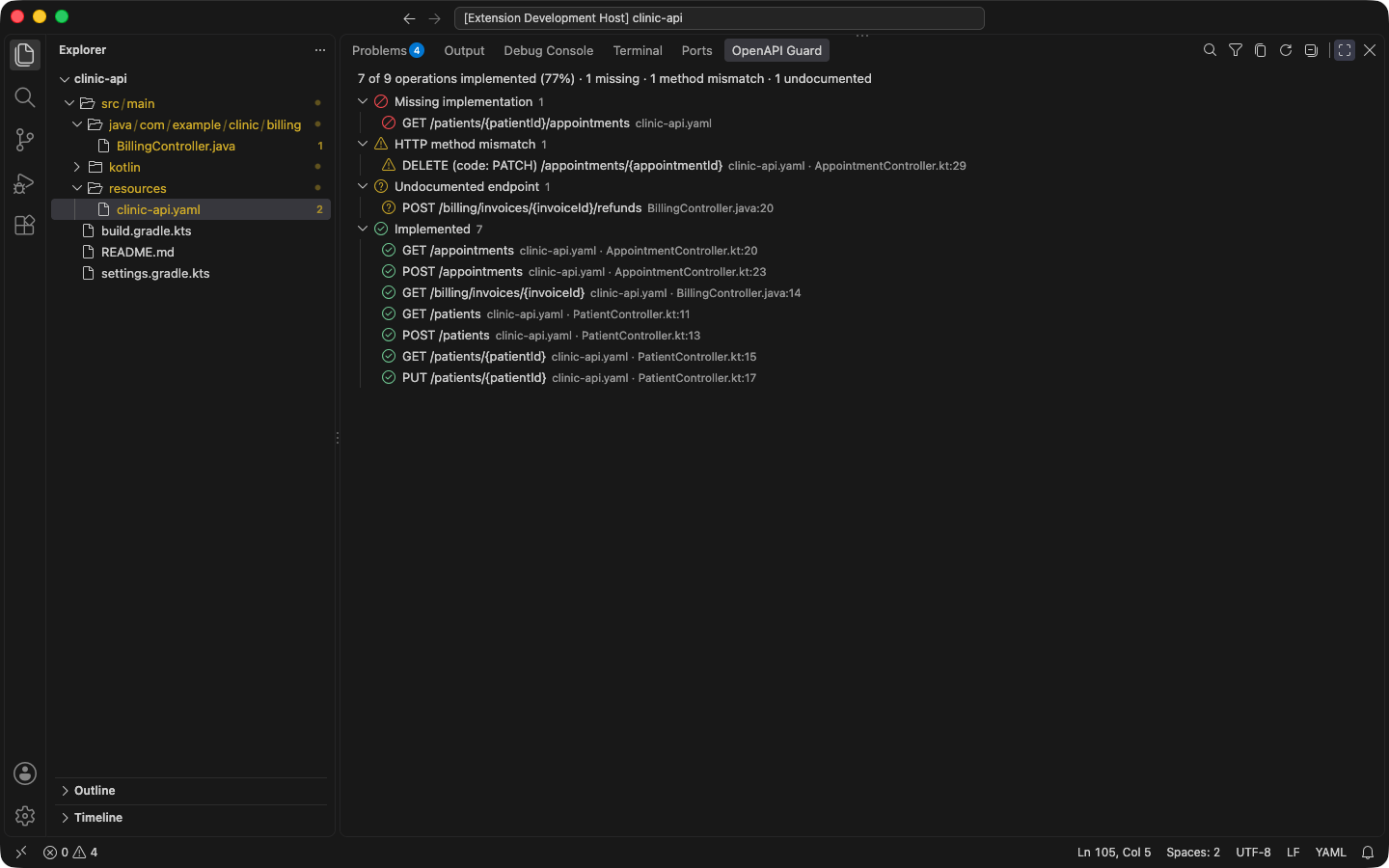
Operations view
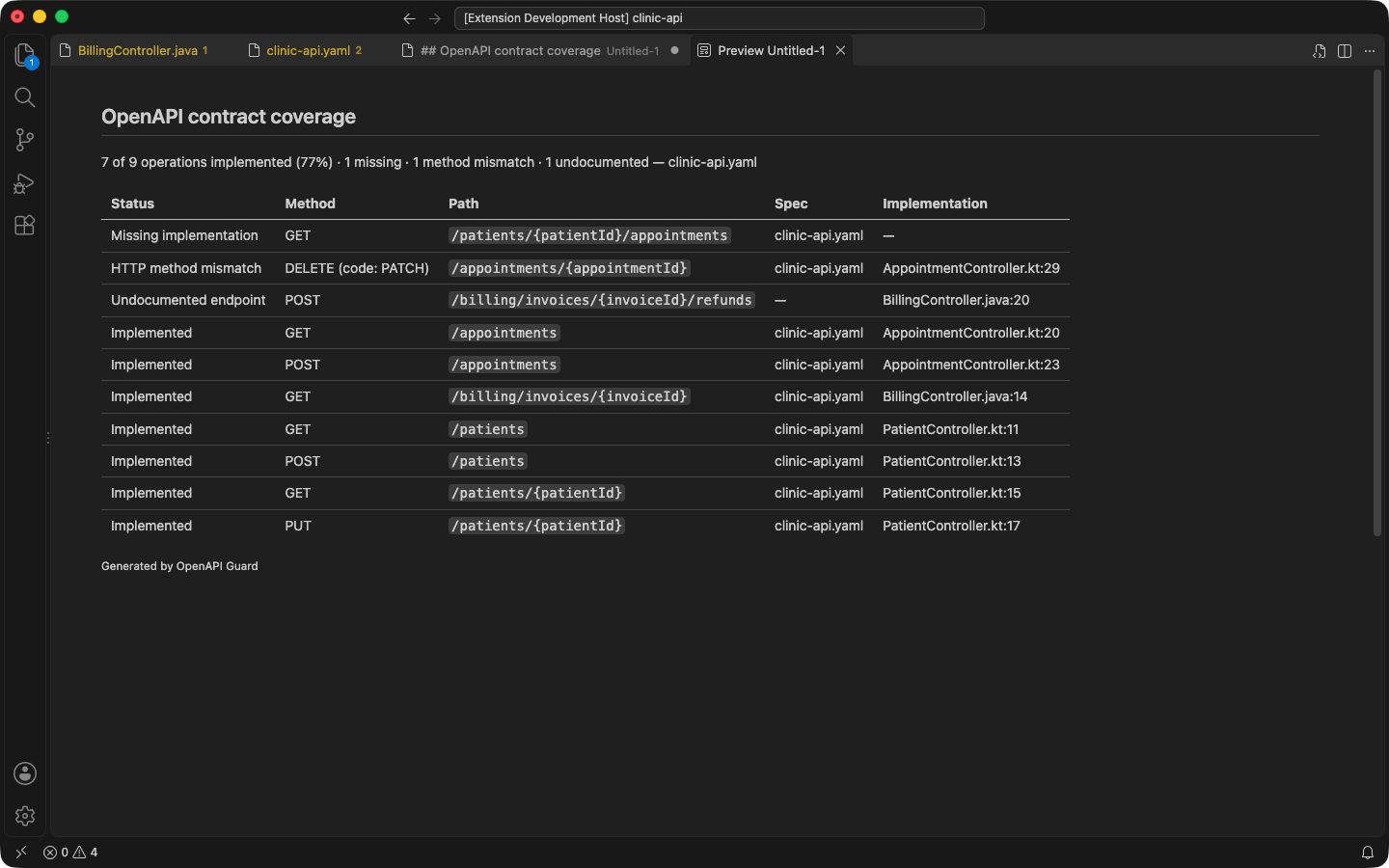
The OpenAPI Guard panel lists every contract operation with its implementation status and a coverage summary you can copy as Markdown.
Documentation pages
The Operations view is in the OpenAPI Guard panel, next to Problems. It lists every operation of every analyzed contract, grouped by status, plus endpoints the contract does not document:
| Status | Meaning |
|---|---|
| Missing implementation | No controller serves the operation. |
| HTTP method mismatch | The code serves the path with another method (shown as GET (code: POST)). |
| Undocumented endpoint | A controller endpoint the contract does not describe. |
| Could not verify | A mapping OpenAPI Guard could not resolve might serve it, so it is not reported missing. |
| Implemented | A controller serves it. |
| Ignored | Marked x-openapi-guard-ignore: true; see Suppressing issues. |
The top line summarizes coverage, for example “7 of 9 operations implemented (77%) · 1 missing · 1 method mismatch · 1 undocumented”. Ignored operations and undocumented endpoints do not count toward the percentage.
Using the view
- Click a row to open the operation in the contract (or the endpoint, for an undocumented one). Right-click for Go to Implementation and Go to Spec.
- Filter (search icon) keeps rows where every word you type appears in some column: status, method, path, specification, or implementation.
- Show Problems Only hides implemented, unverified, and ignored rows.
- Copy as Markdown copies the visible rows as a table with the coverage summary, ready for a pull request or issue; Copy Selected as Markdown copies selected rows.
- Refresh analyzes again. The view also follows every edit and settings change.